
Logo & signature
Make a logo, a signature image, or a watermark. These are design files. A signature PNG is not a government digital signature certificate (DSC). 4 tools
Logo Generator
Build a simple brand mark from your name, colors, and layout. Download PNG.
How to use: Enter brand name and tagline, pick layout and colors. Preview updates live. Download a PNG for social or a website.
Open toolSignature Generator
Draw or type a signature and download a transparent PNG.
How to use: Draw with the mouse or type your name in a script font. Download a transparent PNG. This is not a legal DSC.
Open toolWatermark Tool
Add your name or logo text on a photo before you share it.
How to use: Upload a photo, type watermark text, set position and opacity, then download.
Open toolStamp / Seal Maker
Create a round office-style stamp image for documents.
How to use: Enter company name and a short line. Download a circular stamp PNG for letterheads.
Open toolConverters & OCR
Upload a file or paste text, choose the output, then download. Use OCR only for scanned photos or image PDFs. 24 tools
PDF to Word
Extract text from a PDF into a Word file.
How to use: Upload a PDF that already has selectable text, then convert and download a .docx. For scanned pages open OCR first.
Open tool
Word to PDF
Turn a .docx file into a PDF.
How to use: Upload a .docx file (not old .doc). Click convert, wait for the bar, then download the PDF.
Open toolOCR Text Extractor
Read text from images or scanned PDFs using OCR.
How to use: Drop a photo or scanned PDF, pick English or Hindi, then extract. Copy the text or save a .txt file.
Open toolMulti File Converter
Convert images, text, CSV, JSON, and more in one place.
How to use: Open this hub, pick the conversion you need (image, PDF, CSV, JSON), then follow that tool’s upload step.
Open toolImage Converter
Convert JPG, PNG, WEBP, or BMP in the browser.
How to use: Upload an image, pick PNG/JPG/WEBP, convert, and the file downloads automatically.
Open toolImage Compressor
Shrink image size before you upload.
How to use: Upload an image, set quality 1–100 (try 70), then compress and download.
Open toolImage Resizer
Resize an image to exact pixel dimensions.
How to use: Upload an image, type width and height in pixels, then download the resized file.
Open toolJPG to PNG
Convert a JPG photo to a transparent-ready PNG.
How to use: Upload a JPG. Convert downloads a PNG you can use where transparency is needed.
Open toolPNG to JPG
Convert a PNG image to JPG.
How to use: Upload a PNG. Convert downloads a JPG (transparent areas become a flat background).
Open toolWEBP Converter
Convert to or from WEBP.
How to use: Upload an image and convert to WEBP for smaller web files.
Open toolJPG to PDF
Put one or more images into a PDF.
How to use: Select one or more images. Make PDF places each image on a page.
Open toolPDF to JPG
Turn PDF pages into JPG images.
How to use: Upload a PDF. Each page becomes a JPG you can download separately.
Open toolImage to Base64
Encode an image for CSS or HTML.
How to use: Upload an image. Copy the data URL into CSS or HTML.
Open toolBase64 to Image
Decode a Base64 string back to an image.
How to use: Paste a Base64 string or data URL to preview the image.
Open toolText to PDF
Turn notes into a downloadable PDF.
How to use: Type or paste notes, then run. A PDF downloads to your computer.
Open toolCSV to JSON
Convert a CSV table to JSON.
How to use: Paste CSV with a header row. Run to get JSON you can copy.
Open toolJSON to CSV
Convert a JSON array to CSV.
How to use: Paste a JSON array of objects. Run to get CSV you can copy.
Open toolMarkdown to HTML
Convert Markdown to HTML.
How to use: Paste Markdown (# headings, **bold**). Run and copy the HTML.
Open toolHTML to Markdown
Convert simple HTML to Markdown.
How to use: Paste simple HTML. Run and copy Markdown.
Open toolImage Rotate
Rotate an image 90° and download it.
How to use: Upload an image, pick 90/180/270, then download the rotated PNG.
Open toolPDF Merge
Combine multiple PDFs into one file.
How to use: Drop two or more PDFs, put them in order, then download one combined file. Work stays in this browser.
Open toolPDF Split
Split a PDF into separate pages or ranges.
How to use: Upload one PDF. Download a page range, or save each page as its own PDF.
Open toolPDF Compressor
Shrink a PDF's file size before you upload or email it.
How to use: Upload a PDF, pick a quality, then download a smaller file. Heavy scans shrink more than text PDFs.
Open toolPassport Size Photo Maker
Crop and resize a photo to standard passport/ID sizes with a plain background.
How to use: Upload a photo, drag the crop box, pick India or US size, then download a PNG. Crop is manual.
Open tool3D (Three.js)
Drag to rotate. These run in the browser with Three.js — no install. Use a desktop or a decent phone. 6 tools
3D Text Studio
Type a word and spin it in 3D. Screenshot it for a story.
How to use: Type text, pick a color, drag to rotate. Use Screenshot to save a PNG.
Open tool3D Globe
Drag a lit Earth globe. Fun for geography and wallpapers.
How to use: Drag the globe to spin it. Scroll to zoom. Earth texture loads from the web.
Open tool3D Box Preview
See a package in 3D from length, width, and height.
How to use: Enter length, width, height (cm). Drag the box to check proportions for shipping or products.
Open tool3D Photo Cube
Put your photo on a spinning 3D cube.
How to use: Upload a square-ish photo. It wraps on a cube. Drag to spin, then screenshot.
Open tool3D Particle Wave
A calm particle field you can tilt with the mouse.
How to use: Move the mouse or drag to tilt the particle wave. Relaxing, good for a break.
Open toolDrawing to 2D / 3D
Draw or upload a sketch, then preview it as a 2D stamp and 3D model.
How to use: Draw on the pad or upload a sketch. Set threshold, pick Relief or Blocks, then preview 2D and 3D. Drag the 3D view to rotate.
Open toolFun & shareable
Light tools to break the ice, pick a winner, or share a joke. Safe for office and class — no rude content. 20 tools
Magic 8-Ball
Ask a yes/no question. Shake for a classic answer.
How to use: Type a yes/no question and run. You get a classic 8-ball answer to share.
Open toolCoin Flip
Heads or tails when you cannot decide.
How to use: Click run. Heads or tails appears — use it when two options feel equal.
Open toolDice Roller
Roll 1–6 dice for games or random picks.
How to use: Choose how many dice (1–6), then roll. Good for games and classroom picks.
Open toolDecision Maker
Yes, no, or later — for tiny life choices.
How to use: Type the choice you are stuck on. Run for Yes, No, or Ask later.
Open toolRandom Name Picker
Paste names and pick a fair winner.
How to use: Paste one name per line. Run to highlight a fair random winner.
Open toolOffice Excuse Generator
Silly late-to-meeting excuses. For laughs only.
How to use: Click run for a joke office excuse. Do not send it to your actual boss.
Open toolCompliment Generator
A kind line you can send a friend or teammate.
How to use: Click run and copy a kind line. Safe for work and friends.
Open toolFortune Cookie
Crack a short, positive fortune.
How to use: Click run to crack a short positive fortune.
Open toolPet Name Generator
Cute name ideas for a dog, cat, or plant.
How to use: Type a letter or vibe word, then generate a few pet-name ideas.
Open toolSuperhero Name
Turn your name into a comic-book alias.
How to use: Enter your first name. You get a playful hero alias.
Open toolMeeting Cost Calculator
See how much a meeting costs in salary time.
How to use: Enter people, average hourly pay, and minutes. See the rupee cost of the meeting.
Open toolWeekend Countdown
Hours left until Saturday. Survive Monday.
How to use: Open and run. See days and hours left until Saturday.
Open toolDog Years Calculator
Human age to dog years — for bragging rights.
How to use: Enter a human age. See a simple dog-years equivalent (age × 7).
Open toolClick Speed Test
How many clicks in 5 seconds?
How to use: Start, then click the button as fast as you can for 5 seconds.
Open toolReaction Time Test
Wait for green, then tap. See your ms score.
How to use: Wait until the box turns green, then click. Lower milliseconds is faster.
Open toolFancy Text Generator
Stylish Unicode text for bios and captions.
How to use: Type normal text. Copy a stylish Unicode version into your bio or story.
Open toolUpside-Down Text
Flip text upside down for chats and comments.
How to use: Type text and flip it. Copy into a chat for a joke.
Open toolUsername Generator
Handle ideas from a word you like.
How to use: Enter a base word. Copy a handle idea that is still free-looking.
Open toolStory Prompt Generator
A spark when you do not know what to write.
How to use: Click run when you are stuck. Use the prompt as a writing start.
Open toolOkayest Certificate
Print a joke “World’s Okayest…” certificate.
How to use: Type a name and title (Employee, Student). Print or screenshot the joke certificate.
Open toolDaily use
Quick checks you open every day: IP address, WhatsApp links, currency, notes, attendance, and timers. 17 tools
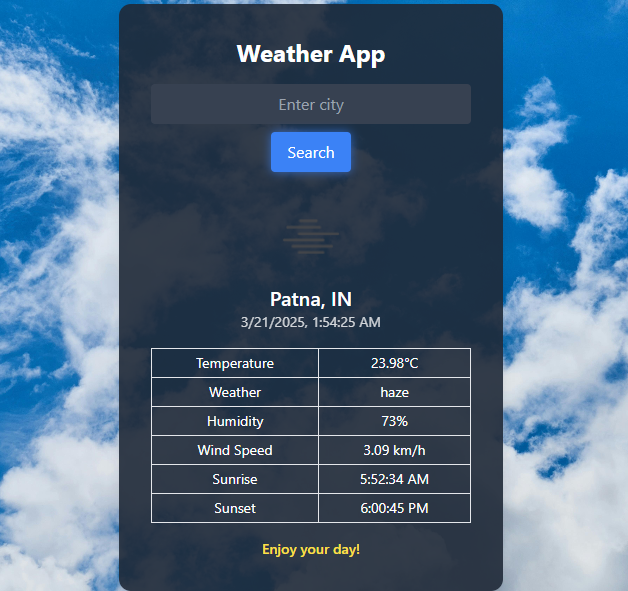
Weather Search
Current weather and a 5-day forecast.
How to use: Type a city name or allow location. You get current weather plus the next 5 days.
Open toolWhat Is My IP
See your public IP, browser, and location hints.
How to use: Open the page. Your public IP is shown at the top. Use Copy IP for support tickets.
Open toolCurrency Converter
Live exchange rates for INR, USD, EUR, and more.
How to use: Enter amount, pick from and to currency, then convert. Rates are live from ECB data.
Open toolWhatsApp Link Generator
Create a wa.me chat link with a prefilled message.
How to use: Enter number with country code (9198…) and optional message. Copy or open the wa.me link.
Open toolAttendance Calculator
Find attendance % and classes needed for 75%.
How to use: Enter classes attended and total held. See % and how many more classes you need for 75%.
Open toolPassword Strength Checker
Check how strong a password is. Nothing is stored.
How to use: Type a password. Strength is checked in the browser and is not saved.
Open toolStopwatch
Online stopwatch with lap times.
How to use: Click start. Click again to add a lap. Keep the tab open.
Open toolOnline Notepad
Draft notes in the browser. Saved on this device.
How to use: Type notes and save. They stay in this browser only on this device.
Open toolText Cleaner
Remove extra spaces, line breaks, and empty lines.
How to use: Paste messy text. Run to remove extra spaces and blank lines, then copy.
Open toolTimesheet Calculator
Hours and pay from start/end time.
How to use: Enter start time, end time, and optional hourly rate. See hours and pay.
Open toolMailto Link Generator
Build an email link with subject and body.
How to use: Enter to, subject, and body. Copy the mailto: link into a button or email signature.
Open toolvCard Generator
Download a contact card (.vcf).
How to use: Enter name, phone, email, company. Download the .vcf and share or import to contacts.
Open toolOut of Office Message
Polite OOO email you can paste into Outlook.
How to use: Enter your name, return date, and backup person. Copy the OOO reply.
Open toolLinkedIn Headline Helper
Three headline options from your role and skill.
How to use: Enter your role and one skill. Copy one of the three headline options.
Open toolThank-You Note
A short, warm thank-you you can send today.
How to use: Enter who and why. Copy the short note into WhatsApp or email.
Open toolPacking List
A trip checklist for weekend or work travel.
How to use: Pick trip type. Tick items as you pack — or copy the list.
Open tool7-Day Habit Tick
Tick today’s habit. Saved only on this device.
How to use: Click today’s box after you do the habit. It remembers this browser only.
Open toolFinance & tax
Enter rupee amounts and rates. Results are estimates for planning — confirm tax and loan figures with a professional. 26 tools
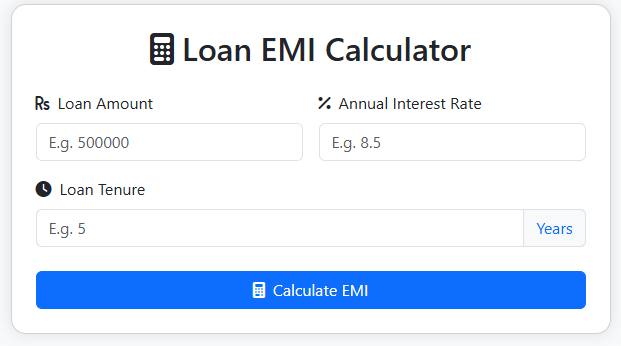
Loan EMI Calculator
EMI, interest, and repayment schedule.
How to use: Enter loan amount, annual interest, and tenure. Optionally add extra monthly payment to see a shorter schedule.
Open tool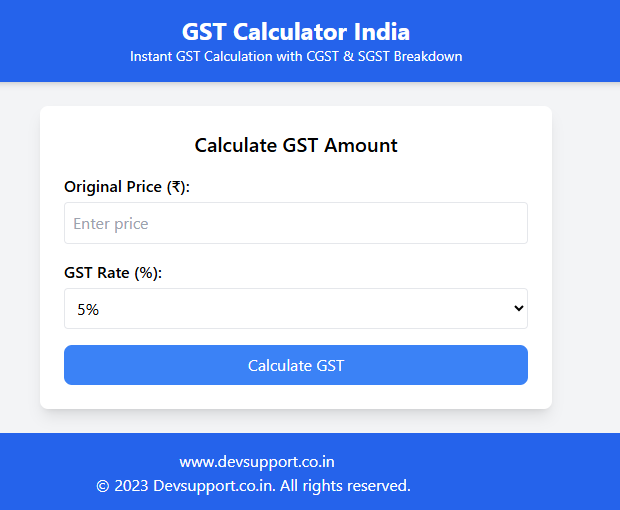
GST Calculator
Add or remove GST with CGST/SGST/IGST.
How to use: Enter the amount, choose Add or Remove GST, pick the rate and intra-state or inter-state, then calculate.
Open tool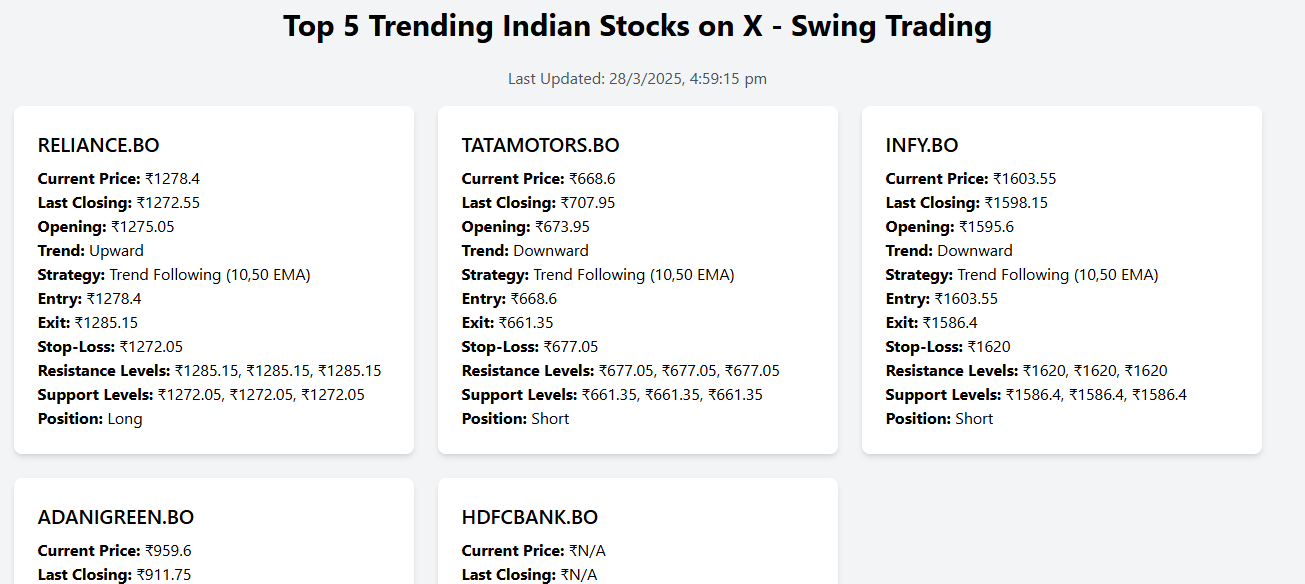
Trending Stocks
Indian swing-trade EMA snapshot.
How to use: Open the page to see a cached Nifty watchlist with EMA trend. Not investment advice.
Open tool
Stock Average Calculator
Shares needed to hit a target average.
How to use: Enter your buy price, shares, current price, and a lower target average. You get extra shares to buy.
Open toolCompound Interest
See how a deposit grows over time.
How to use: Enter principal, annual rate, and years. See maturity and interest.
Open toolSIP Calculator
Future value of a monthly SIP.
How to use: Enter monthly SIP, expected yearly return, and years. See invested amount vs future value.
Open toolFD Calculator
Fixed deposit maturity amount.
How to use: Enter deposit, rate, and years. See approximate FD maturity (quarterly compounding).
Open toolPPF Calculator
Public Provident Fund estimate.
How to use: Enter yearly deposit, rate, and years (usually 15). See an approximate PPF total.
Open toolProfit Margin
Margin and markup from cost and selling price.
How to use: Enter cost and selling price. See profit and margin %.
Open toolMarkup Calculator
Selling price from cost and markup %.
How to use: Enter cost and markup %. See the selling price to charge.
Open toolTDS Calculator
Quick TDS amount at a chosen rate.
How to use: Enter amount and TDS %. See TDS deducted and net payable.
Open toolHRA Calculator
House Rent Allowance exemption estimate.
How to use: Enter annual basic, HRA received, rent, and metro/non-metro. See exempt vs taxable HRA.
Open toolBreak-even Calculator
Units needed to cover fixed costs.
How to use: Enter fixed costs, price per unit, and variable cost. See units you must sell.
Open toolHourly Rate
Convert salary to an hourly rate.
How to use: Enter monthly salary and hours per week. See an hourly rate.
Open toolSavings Goal
Months needed to reach a savings target.
How to use: Enter the target amount and monthly saving. See how many months it takes.
Open toolPAN Validator
Validate an Indian PAN format.
How to use: Type a PAN like ABCDE1234F. You will see if the format is valid.
Open toolGSTIN Validator
Validate a 15-character GSTIN format.
How to use: Type a 15-character GSTIN. You will see if the format is valid.
Open toolInvoice Generator
Create a simple printable invoice.
How to use: Fill from, bill-to, item, qty, and rate. Print the page (Save as PDF) for the client.
Open toolIncome Tax Calculator
India new-regime tax estimate for salaried income.
How to use: Enter yearly taxable income. You get a new-regime estimate. Confirm with a CA before filing.
Open toolPF Calculator
Employee and employer provident fund estimate.
How to use: Enter monthly basic + DA. See 12% employee and employer PF (wage ceiling applied).
Open toolGratuity Calculator
Indian gratuity estimate from salary and years.
How to use: Enter last basic+DA and years of service. See an approximate statutory gratuity.
Open toolHome Loan Eligibility
Rough loan amount from income and EMI burden.
How to use: Enter take-home pay, existing EMIs, rate, and years. See a rough eligible loan amount.
Open toolInflation Calculator
See what money today is worth after inflation.
How to use: Enter today’s amount, inflation %, and years. See future cost of the same basket.
Open toolOvertime Calculator
Pay for extra hours at 1.5x or 2x.
How to use: Enter hourly rate, overtime hours, and multiplier (1.5 or 2). See overtime pay.
Open toolPayday Countdown
Days left until salary day.
How to use: Pick your next salary date. See how many days are left.
Open toolRent Receipt Generator
Create a printable rent receipt for HRA proof.
How to use: Fill tenant, landlord, rent, and period. Print the receipt or download a PDF for HRA records.
Open toolEveryday calculators
Fill the fields on the page and press calculate. Use these for percentages, dates, grades, bills, and simple math. 24 tools
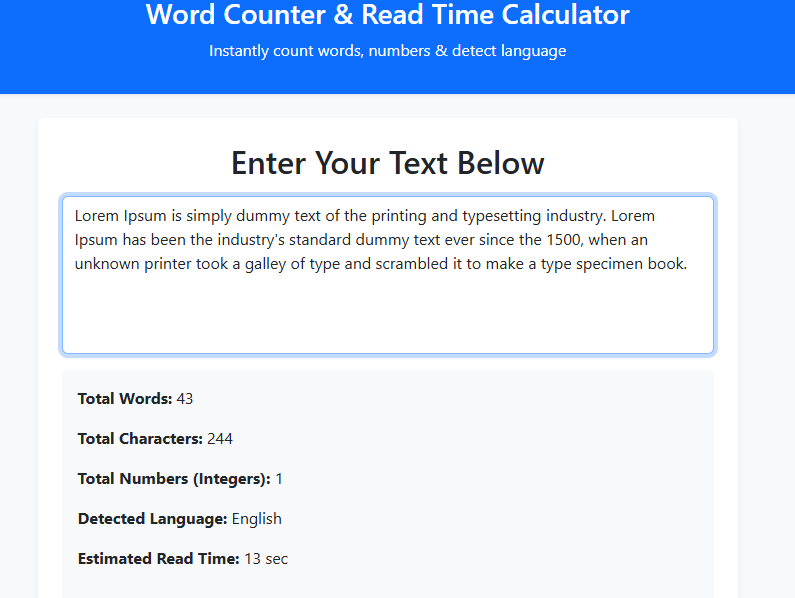
Word Counter
Words, characters, and reading time.
How to use: Paste or type text. Word, character, sentence counts and reading time update as you type.
Open tool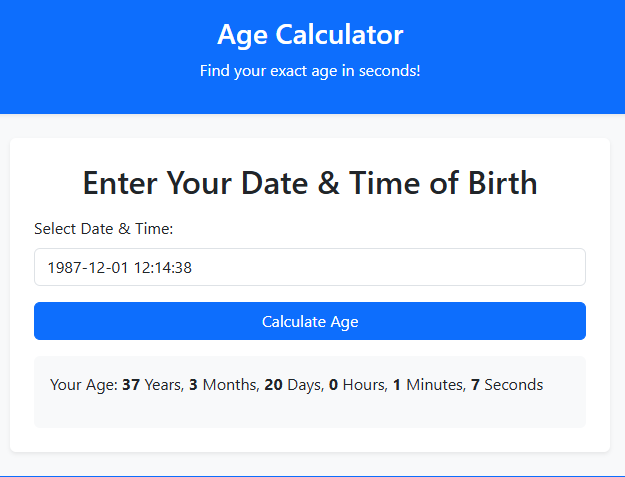
Age Calculator
Exact age and next birthday.
How to use: Pick date and time of birth. You get exact age, next birthday, and total days lived.
Open toolPercentage Calculator
What is X% of Y, and percent change.
How to use: Enter X and Y. You get “X% of Y” and “X is what % of Y”.
Open toolDiscount Calculator
Sale price after a discount.
How to use: Enter original price and discount %. See how much you save and the final price.
Open toolTip Calculator
Split a restaurant bill and tip.
How to use: Enter bill, tip %, and number of people. See tip, total, and each person’s share.
Open toolElectricity Bill
Estimate a unit-based electricity bill.
How to use: Enter units, rate per unit, and optional fixed charge. See the bill total.
Open toolFuel Cost Calculator
Trip fuel cost from mileage and price.
How to use: Enter trip km, mileage (km/l), and fuel price. See litres and trip cost.
Open toolDate Difference
Days, weeks, and months between two dates.
How to use: Pick a from date and a to date. See days and weeks between them.
Open toolWorking Days
Weekdays between two dates.
How to use: Pick two dates. Weekends are skipped; you get working-day count.
Open toolUnit Converter
Length, weight, and volume conversions.
How to use: Enter a value, choose from/to (length or weight). Do not mix length with weight.
Open toolTemperature Converter
Celsius, Fahrenheit, and Kelvin.
How to use: Enter a number and the unit you have. See C, F, and K together.
Open toolNumber to Words
Indian and international number wording.
How to use: Type a number. You get Indian-style words (lakh / crore).
Open toolRoman Numerals
Convert to and from Roman numerals.
How to use: Type 1–3999 or a Roman numeral (MMXXVI). You get the other form.
Open toolGrade Calculator
Percentage and grade from marks.
How to use: Enter marks and total. See percentage and a letter grade.
Open toolData Size Converter
Bytes, KB, MB, GB, and TB.
How to use: Enter a size and unit. See the same value in B, KB, MB, GB, TB.
Open toolBill Splitter
Split a bill between friends.
How to use: Enter total, people, and optional tip %. See what each person pays.
Open toolTime Zone Converter
Compare time across cities.
How to use: Pick a city and run to see the current local time there.
Open toolRandom Number
Pick numbers in a range.
How to use: Set min, max, and how many numbers. Run to generate them.
Open toolTyping Speed Test
60-second WPM test.
How to use: Open the tool, type the sample paragraph. After about 60 seconds you get WPM.
Open toolWorld Clock
Current time in major cities.
How to use: Click run to see the current time in India, New York, London, Dubai, and Tokyo.
Open toolPomodoro Timer
25-minute focus timer.
How to use: Set minutes (default 25) and start. Keep the tab open while you work.
Open toolCountdown Timer
Count down to a date.
How to use: Pick a future date and time. The countdown updates every second.
Open toolScientific Calculator
Quick math with brackets, %, and decimals.
How to use: Type an expression like (25+5)*3/2 using only numbers and + − × ÷ ( ).
Open toolCGPA to Percentage
Convert CGPA to percentage (×9.5 and custom).
How to use: Enter CGPA and multiplier (CBSE often 9.5). See the percentage.
Open toolHealth
Enter height, weight, or dates as asked. These are general guides, not medical advice. 7 tools
BMI Calculator
Body Mass Index from height and weight.
How to use: Enter height in cm and weight in kg. You get BMI and a category.
Open toolCalorie Calculator
Daily calorie estimate (Mifflin-St Jeor).
How to use: Enter sex, weight, height, and age. See BMR and a sedentary daily estimate.
Open toolWater Intake
Suggested daily water from body weight.
How to use: Enter weight in kg. See a simple daily water suggestion in litres.
Open toolPregnancy Due Date
Due date from last period date.
How to use: Enter the first day of the last period. See an estimated due date (280 days).
Open toolSleep Calculator
Best wake-up times based on 90-minute cycles.
How to use: Pick the time you want to wake up. You get suggested bedtimes (90-minute cycles).
Open toolIdeal Weight
Healthy weight range from height (Devine / BMI).
How to use: Enter height and sex. See Devine estimate and a BMI healthy range.
Open toolStretch Break Timer
A 5-minute reminder to stand up from the chair.
How to use: Start the 5-minute timer, stand up, and stretch until it ends.
Open toolSEO & XML
Type your page title, URLs, or article text. Copy the generated tags, sitemap XML, or robots.txt into your site. 10 tools
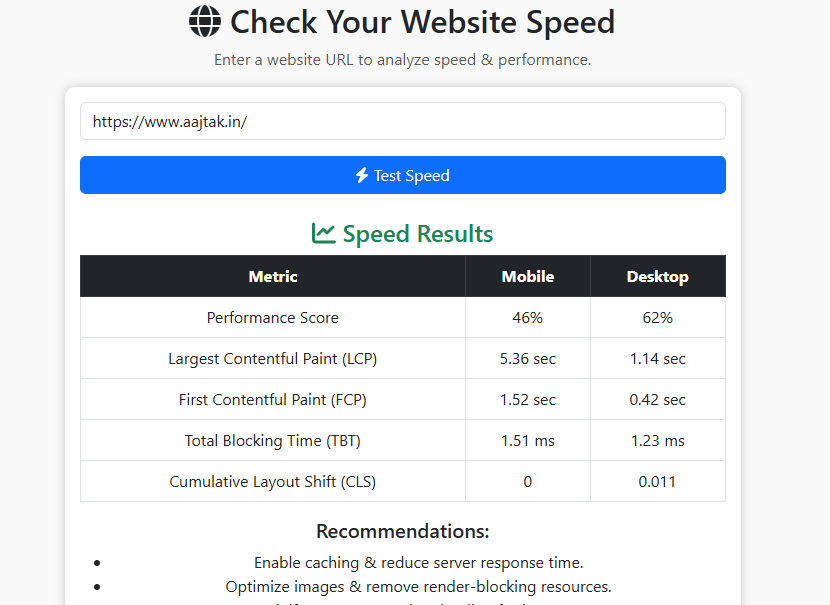
Website Speed Tester
Mobile and desktop Core Web Vitals.
How to use: Paste a public https URL and run the test. Wait up to a minute for mobile and desktop scores.
Open toolSitemap & XML Generator
Build sitemap.xml and robots.txt from a URL list.
How to use: Paste one URL per line. Generate to download sitemap.xml and robots.txt.
Open toolSlug Generator
SEO-friendly URL slugs from a title.
How to use: Type a page title. Copy the hyphenated slug into your URL.
Open toolWord Frequency
See which words appear most often.
How to use: Paste an article. See the most used words — helpful for keyword checks.
Open toolContrast Checker
WCAG contrast between two colors.
How to use: Pick text color and background. See if WCAG AA/AAA contrast passes.
Open toolMeta Tag Generator
Title, description, and basic SEO tags.
How to use: Enter title, description, and canonical URL. Copy the tags into your <head>.
Open toolRobots.txt Generator
Create a robots.txt file.
How to use: Enter your sitemap URL. Copy the robots.txt to your site root.
Open toolUTM Builder
Campaign URLs with UTM parameters.
How to use: Enter the page URL plus source, medium, and campaign. Copy the tracking link.
Open toolOpen Graph Generator
og:title and social share meta tags.
How to use: Enter title, description, image URL, and page URL. Copy og: tags for social share.
Open toolReading Time
Estimate how long a blog post takes to read.
How to use: Paste article text. See word count and minutes at ~200 words per minute.
Open toolDeveloper tools
Paste code or text, run the tool, then copy the formatted output. Nothing is sent to a server unless the page says so. 37 tools
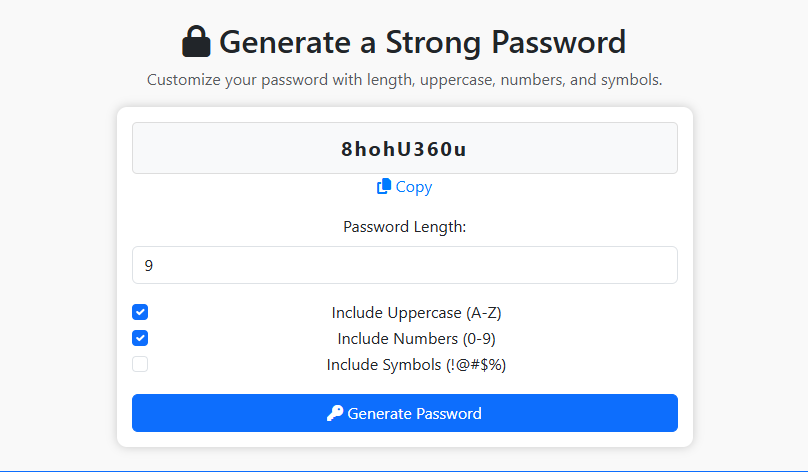
Password Generator
Strong passwords generated in your browser.
How to use: Set length and character types, generate, then copy. Created only in your browser.
Open toolJSON Formatter
Pretty-print or minify JSON and catch errors.
How to use: Paste JSON and run. Fix the error if it is invalid, then copy the pretty output.
Open toolXML Formatter
Pretty-print XML and validate the structure.
How to use: Paste XML and run. You will see if it is valid, then copy it.
Open toolCase Converter
Upper, lower, title, camel, and snake case.
How to use: Paste text and run to get UPPER, lower, Title, camelCase, and snake_case.
Open toolBinary / Hex Converter
Decimal, binary, and hexadecimal.
How to use: Enter a value and pick decimal, binary, or hex. See all three forms.
Open toolAspect Ratio
Keep width/height in proportion.
How to use: Enter width and height. Optionally a new width to get the matching height.
Open toolPX to REM
Convert CSS pixels to rem.
How to use: Enter px and root size (usually 16). Copy the rem value into CSS.
Open toolURL Encoder
Encode or decode URL text.
How to use: Paste text or an encoded string. You get both encoded and decoded versions.
Open toolHTML Encoder
Escape or unescape HTML entities.
How to use: Paste HTML or escaped text. Copy the escaped version for safe display.
Open toolHash Generator
SHA-256 and SHA-1 hashes in the browser.
How to use: Paste text and run. Copy SHA-256 or SHA-1. Hashing happens in your browser.
Open toolUUID Generator
Create random unique IDs.
How to use: Click run to create a new random UUID. Click again for another one.
Open toolLorem Ipsum
Dummy paragraphs for design mockups.
How to use: Set how many paragraphs you need, then copy the dummy text into a design.
Open toolText Diff Checker
Compare two texts line by line.
How to use: Paste original text on the left and changed text on the right. Differing lines are marked.
Open toolRegex Tester
Test a regular expression against text.
How to use: Enter a pattern (like \d+) and sample text. See how many matches you get.
Open toolRemove Duplicate Lines
Clean repeated lines from a list.
How to use: Paste a list. Run to keep the first copy of each line.
Open toolSort Lines
Sort text A–Z or Z–A.
How to use: Paste lines, pick A–Z or Z–A, then copy the sorted list.
Open toolColor Converter
HEX, RGB, and HSL conversion.
How to use: Pick a color. Copy HEX or rgb() into CSS.
Open toolTimestamp Converter
Unix timestamp to date and back.
How to use: Leave empty for now, or paste Unix seconds. See the date and Unix value.
Open toolJWT Decoder
Read a JWT header and payload. No secrets.
How to use: Paste a JWT (header.payload.signature). You only read the payload — no secret cracking.
Open toolCSS Minify
Remove comments and extra CSS spaces.
How to use: Paste CSS. Run to strip comments and extra spaces, then copy.
Open toolEmail Validator
Check email format quickly.
How to use: Type an email and run. This checks format only, not whether the inbox exists.
Open toolPhone Formatter
Format Indian mobile numbers.
How to use: Enter a 10-digit Indian mobile. Copy the +91 formatted number.
Open toolMorse Code
Encode and decode Morse code.
How to use: Paste English or Morse (dots and dashes). Run to convert the other way.
Open toolBase64 Encode / Decode
Encode or decode text as Base64.
How to use: Paste plain text or Base64. You get both encoded and decoded output.
Open toolSQL Formatter
Add line breaks to a SQL query for reading.
How to use: Paste a long SQL query. Run to add line breaks at SELECT, FROM, WHERE, JOIN.
Open toolHTML Beautifier
Indent messy HTML so it is readable.
How to use: Paste minified HTML. Run to indent tags so you can edit them.
Open toolJavaScript Beautifier
Basic indent for minified JS.
How to use: Paste compact JavaScript. Run for a basic readable indent.
Open toolQuery String Parser
Break a URL into readable parameters.
How to use: Paste a full URL or only the ?a=1&b=2 part. See each parameter on its own line.
Open toolCron Expression Builder
Build a cron schedule in plain English.
How to use: Pick minute, hour, day, month, and weekday. Copy the cron expression into the server.
Open tool.gitignore Generator
Common ignore rules for Node, PHP, and Python.
How to use: Pick Node, PHP, or Python. Copy the rules into a .gitignore file.
Open toolDummy JSON Generator
Fake user records for API testing.
How to use: Set how many fake users you need. Copy the JSON into Postman or a mock API.
Open toolCSS Box Shadow
Preview a box-shadow and copy the CSS.
How to use: Set X, Y, blur, and color. Preview the card, then copy the CSS.
Open toolBorder Radius Preview
Preview rounded corners and copy CSS.
How to use: Set radius in px. Preview the shape, then copy border-radius.
Open toolHTTP Status Codes
Look up 200, 404, 500 and other status codes.
How to use: Type a code like 404 or 500. See the standard meaning.
Open toolMIME Type Lookup
Find the MIME type for a file extension.
How to use: Type an extension like pdf or png. See the MIME type for headers or uploads.
Open toolColor Palette
Generate a simple 5-color palette from a base color.
How to use: Pick a base color. Copy the five generated HEX values.
Open toolAcronym Maker
Turn a phrase into a short project name.
How to use: Type a phrase. You get initials you can use as a project name.
Open toolMedia & social
Paste a link or text, or upload a file. Download images, QR codes, or copy captions and hashtags. 8 tools

YouTube Thumbnail
Download every YouTube thumbnail size.
How to use: Paste any YouTube or Shorts link. Download max, standard, high, or medium thumbnail.
Open tool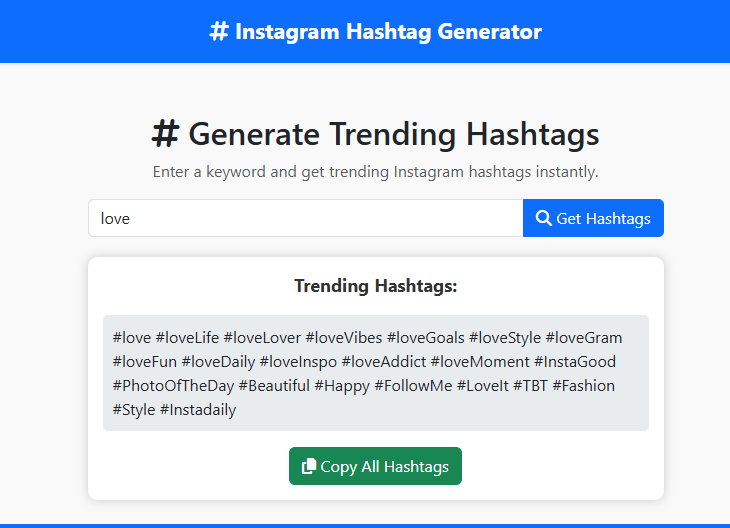
Hashtag Generator
Build a 30-hashtag set from a keyword.
How to use: Type one keyword (travel, fitness) and a niche pack. Copy the 30 hashtags into Instagram.
Open tool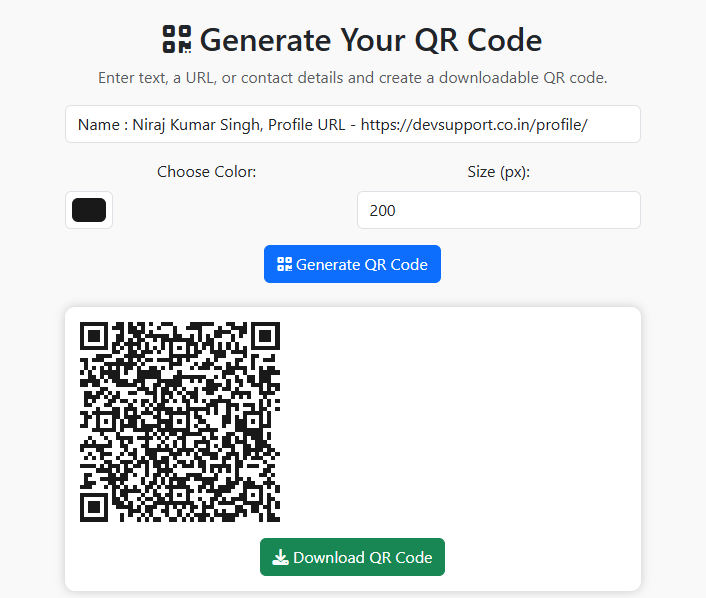
QR Code Generator
QR codes for links, Wi-Fi, or contacts.
How to use: Choose URL, text, Wi‑Fi, or contact. Fill the fields, generate, then download the PNG.
Open toolBarcode Generator
Create a CODE128 barcode PNG.
How to use: Type an invoice or product code. A CODE128 barcode appears — screenshot or print it.
Open toolCaption & Hashtag Counter
Stay inside Instagram caption and hashtag limits.
How to use: Paste your caption and hashtags. Stay under 2200 characters and 30 hashtags.
Open toolQuote Card Maker
Turn a line into a simple shareable quote card.
How to use: Type a quote and optional author. Download the simple card image.
Open toolMeme Caption
Add top and bottom text on your photo.
How to use: Upload a photo, type top and bottom text, then download the meme.
Open toolQR Code Scanner
Scan a QR code using your device camera.
How to use: Allow camera access and hold a QR in view, or upload a QR image. Copy the decoded text.
Open toolMore from DevSupport
Separate apps linked from this hub. They open in their own pages. 7 tools
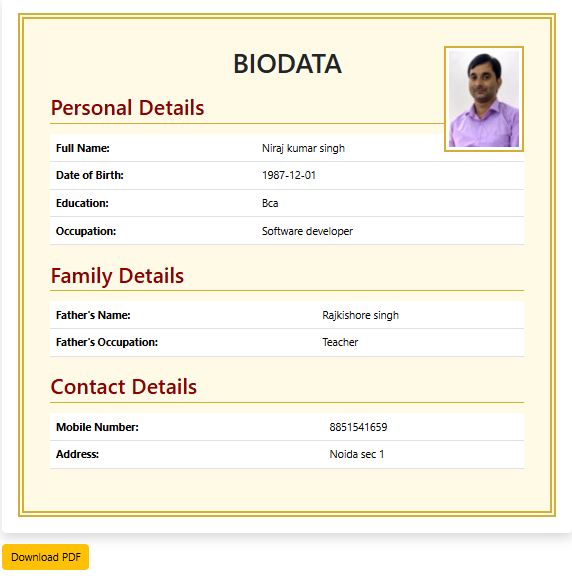
Marriage Biodata
Create a marriage biodata you can download.
How to use: Open the biodata app, fill personal details, then download or print the bio-data.
Open tool
Shifra AI Agent
Ask questions to a virtual assistant.
How to use: Open Shifra and type a question. She answers in the chat window.
Open tool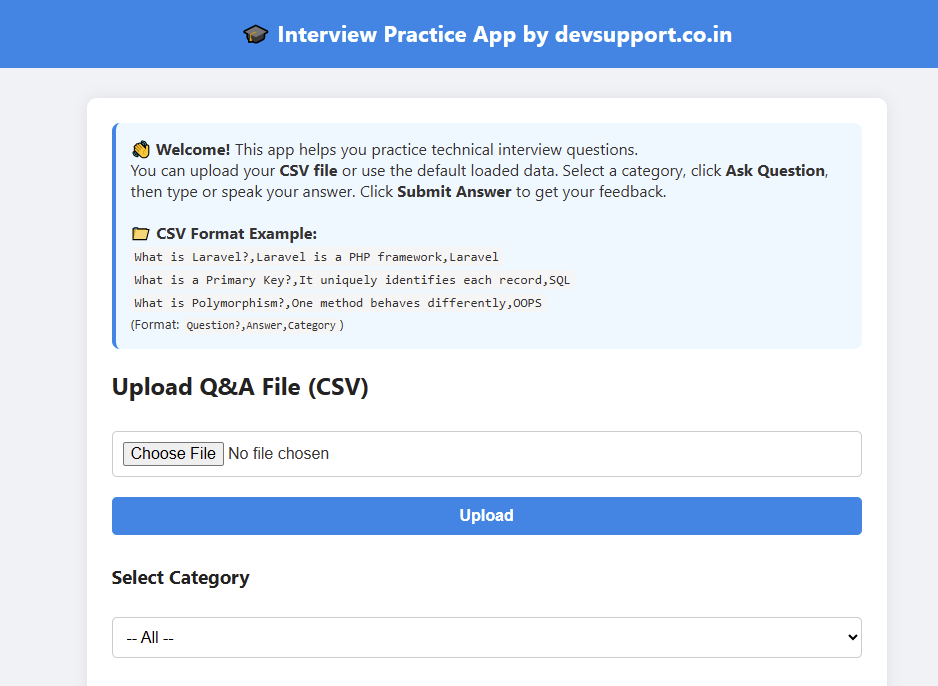
Interview Practice
Practice interview questions by category.
How to use: Pick a question category or upload CSV, answer, then review the feedback.
Open tool
Virtual Teacher
English practice with feedback.
How to use: Open Virtual Teacher and follow the English practice prompts and scores.
Open tool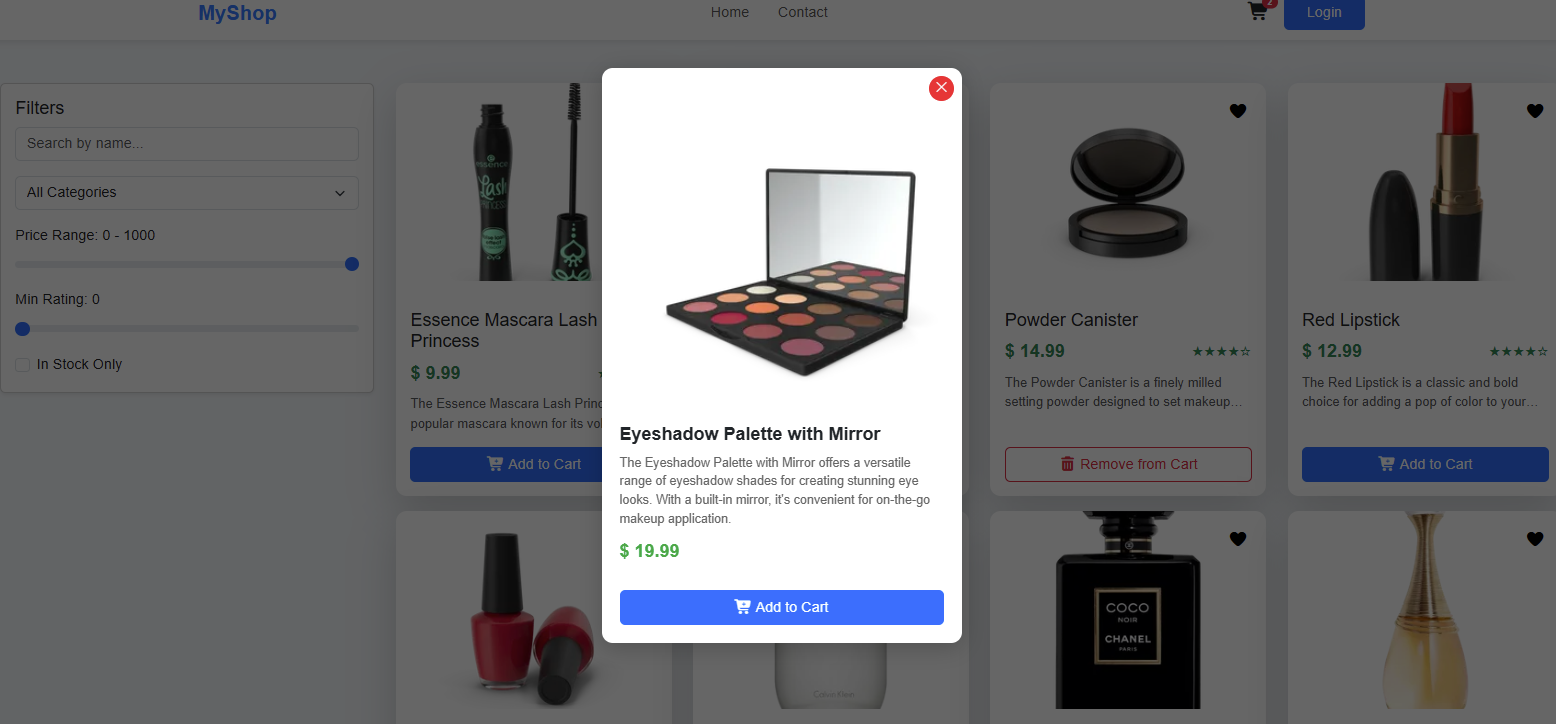
E-commerce Demo
React + Redux Toolkit storefront demo.
How to use: Browse the demo store to see React + Redux Toolkit cart flow.
Open tool
Avatar Generator
Generate and download unique avatars.
How to use: Choose a category, generate avatars, then download or copy the ones you like.
Open tool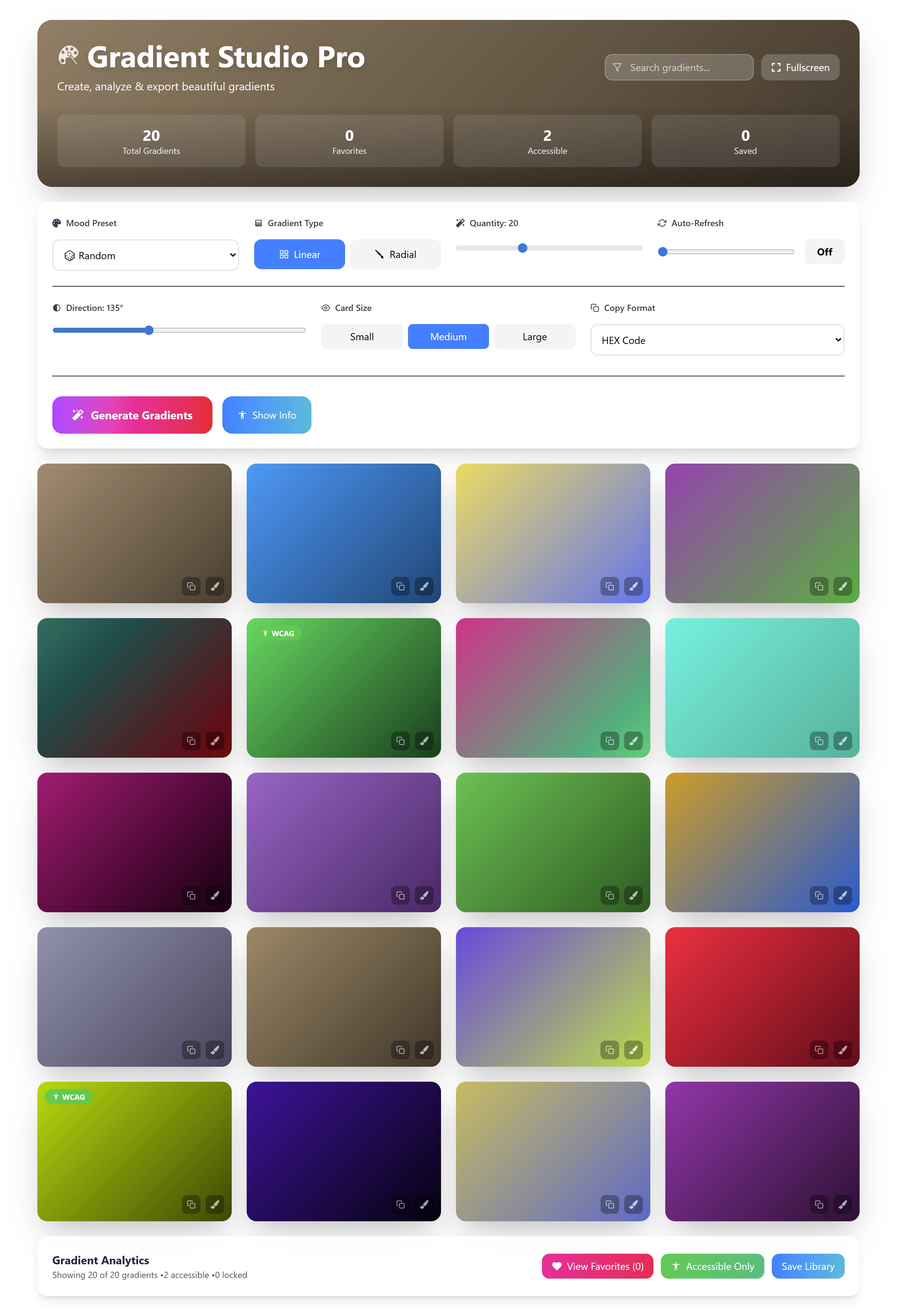
Gradient Generator
Preview gradients and copy CSS.
How to use: Pick colors, preview the gradient, then copy the CSS.
Open tool